
Growing your roster7 min read
How Many Clients Can an Online Coach Handle? The Real Ceiling
Disclosure: we make Grytt, coaching software for online trainers. The capacity figures here come from other sources, listed at the end.
Contents

Most online coaches can handle 15 to 25 clients on high-touch coaching and 30 to 50 on standard weekly check-ins. With templates and a tight system, 50 to 100 is possible on your own.
Those numbers all assume every client costs you the same minutes every week. They don't, and that one assumption hides more capacity than any time-saving trick. Below: what sets your ceiling, the triage method that raises it, and when to raise prices or hire instead.
How many clients can an online coach handle?
A solo online coach can usually handle 15 to 100 clients, depending on what the coaching includes. These ranges come from coaching-software companies, so treat them as industry estimates, not research.
| How you coach | Clients one coach can hold | What it usually includes |
|---|---|---|
| High-touch 1:1 | 15 to 25 | Calls, daily messages, custom programs |
| Standard 1:1 | 30 to 50 | A weekly check-in, async messages, custom programs |
| Light-touch templates | 50 to 100 | Template programs, lighter check-ins |
| Group programming | 100+ | One program for many clients |
Source: QuickCoach. Coachway puts a full-time coach with structured check-ins and templates at 50 to 80.
Most coaches aren't near any of these ceilings. On Coachway's own platform, the median coach had 5 active clients and the average was 17 (201 Nordic coaches, August 2026). That's one platform's data, but it suggests the coaches asking this question are the minority who've grown fast.
What actually sets your ceiling?
Your ceiling is your weekly coaching hours divided by the minutes each client costs you a week. Most of those minutes go on the check-in.
Clients you can hold = (coaching hours a week × 60) ÷ minutes per client a week
So 15 hours a week at 30 minutes a client is 30 clients. Cut that to 15 minutes and it's 60.
The minutes usually go here:
- Reading: opening the check-in, the training log, the food log and the sleep data, often in different apps.
- Deciding: working out what, if anything, should change.
- Writing: the reply and any program edits.
- Messages in between: questions that arrive outside the check-in.
Reading and deciding take most of it. Writing faster helps less than you'd think.
Why are equal check-ins the mistake? The red-amber-green week
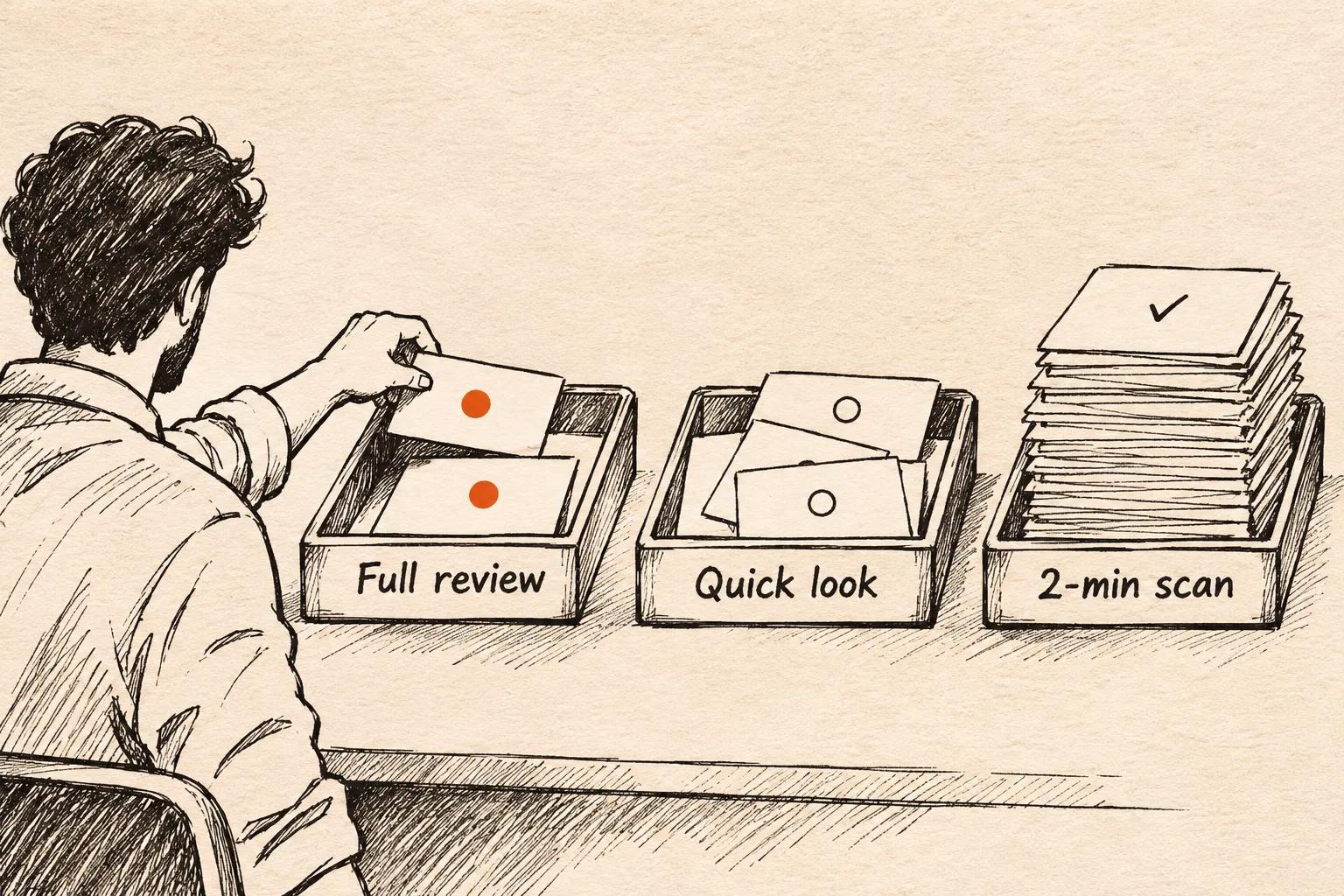
Most coaches give every client the same review every week. But a client who trained every session, hit protocol and slept well needs a scan, not a deep read. Sort clients first, then spend your minutes where they're needed.
Red: full review (about 20 minutes). Any of these:
- missed 2 or more sessions, or missed the check-in
- mentioned pain, illness, stress or low mood
- weight or performance moving the wrong way for 3 weeks
- in their first 4 weeks, or close to renewal
Amber: quick look (about 8 minutes). One missed session, sleep down, or food under target.
Green: 2-minute scan. On plan. Read the numbers, write one line, move on.
One rule stops triage going wrong: every client gets a full red review at least once a month, even when everything looks green. Clients who look fine on paper sometimes aren't.
Here is what that does to your week. The minutes and the 20/30/50 split are assumptions to show the maths, not measured data. Plug in your own.
| Clients | Equal reviews (20 min each) | Triaged (20% red, 30% amber, 50% green) |
|---|---|---|
| 30 | 10 hours | 3.7 hours |
| 50 | 16.7 hours | 6.2 hours |
| 80 | 26.7 hours | 9.9 hours |
Triaged, the average client costs about 7.4 minutes instead of 20. With the same 10 hours a week, that's roughly 80 clients instead of 30, if your roster splits like the example.
How do you coach 50+ clients without hiring?
You coach 50+ clients alone by cutting the minutes per client, not by working more hours. Five changes do most of it.
- Triage first. Use the red-amber-green sort above, every week, before you open a single check-in.
- Collect data without asking. Sleep, steps and resting heart rate can sync from a client's phone. Every number you don't have to ask for is a message you don't have to chase.
- Template your programs by client type. Build one base program per type ("busy parent, 3 days", "first-time lifter") and adjust from there, instead of starting each one blank.
- Batch your week. Check-ins on fixed days. Messages in two windows a day, not all day.
- Let AI draft, then you approve. A weekly review drafted from the client's data turns reading time into checking time (how AI check-in review works), and replies can be drafted the same way (AI reply drafts). Keep the decision and the send button.
What doesn't scale: daily voice notes, unlimited messaging and fully custom programs every block. If you sell those, price for 20 clients, not 50.
When should you raise prices, systemise or hire?
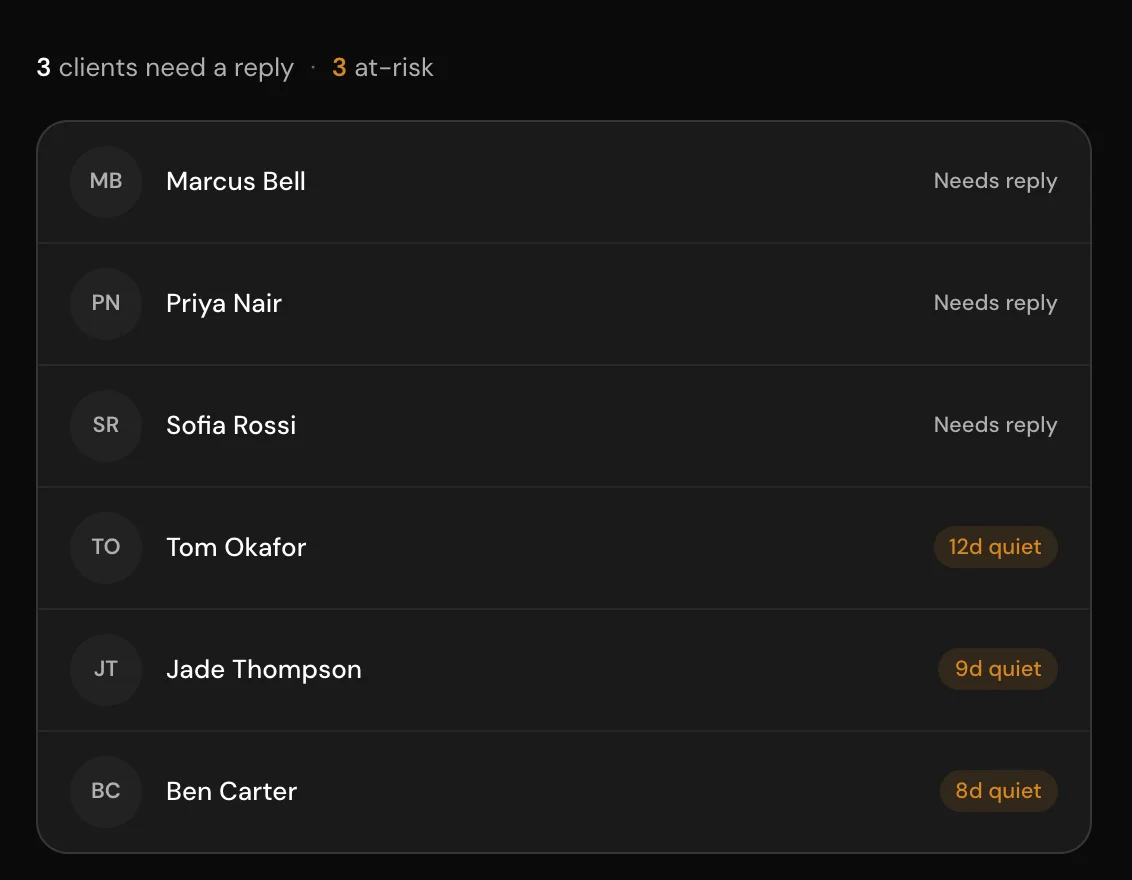
Systemise first, raise prices when you're full at the quality you want, and hire only when a systemised week is still too long.
| What you see | What to do |
|---|---|
| Check-ins take 20+ minutes each, and replies are getting slower | Systemise: triage, templates, batching |
| You're full, quality is holding, and people are waiting to join | Raise prices for new clients |
| You're systemised and still over your hours, and demand is steady | Hire an assistant coach for green and amber reviews |
| Clients leave because replies are slow | Fix the system before you add a single new client |
Hiring before you systemise means training someone to do the slow version of your job.
When isn't Grytt the right fit?
Grytt is built for solo online coaches who want to see each client's whole week. Pick something else if:
- You coach more than 100 clients on your own. Grytt's Pro plan stops at 100. Above that is an Enterprise plan set up with our team.
- You run a gym or a studio with a team. Trainerize Studio is built for bookings and several trainers.
- You only coach training, and your clients already use Hevy. Hevy Coach is simpler.
- You want payments in the app today. Grytt doesn't have them yet.
Frequently asked questions
How many clients can an online personal trainer have?
Roughly 15 to 25 on high-touch coaching with calls, 30 to 50 on standard weekly check-ins, and 50 to 100 on template-based coaching. Your check-in system sets where you land.
How do I coach 50+ clients without hiring?
Triage clients before you read check-ins, use program templates per client type, batch check-ins and messages into fixed windows, and let AI draft reviews you approve.
How many hours a week does online coaching take per client?
Most of the weekly time goes on the check-in. At 15 to 20 minutes per client, 40 clients take 10 to 13 hours a week before messages and programming.
When should an online coach hire an assistant?
When your check-ins are already triaged and templated, you still work over your limit, and demand is steady. Hiring before that copies a slow system to a second person.
Should I raise my prices or take more clients?
Raise prices if you have a waitlist and quality is holding. Take more clients only after your weekly review time per client has come down.
The bottom line
The ceiling on your roster isn't your hours. It's the habit of giving every client the same review whether they need it or not.
You don't need more hours. You need fewer full reviews.
If you want your roster sorted before you start, start Grytt free for your first 10 clients. For what coaching software costs at 10, 20 and 50 clients, see our software comparison.
Sources
Checked on 20 November 2026. Capacity ranges are estimates from coaching-software companies, not research studies.
- QuickCoach: client capacity, how many clients an online coach can have
- Coachway: how many clients can an online coach handle (includes its data on 201 coaches, August 2026)
- Grytt: pricing

Written by
Online coach, Grytt team
Aromal Das is an online fitness coach and part of the Grytt team. He coaches clients online and writes about the tools and habits that make online coaching work.